Why You Never Look at Your Notes Again (Fix It)

You never look at your notes again because nothing in your system ever brings them back. There’s no trigger that resurfaces a note, no trust that the archive is complete, and no search that works the way your memory does. Fix retrieval, and the “useless notes” problem disappears on its own.
A write-only archive
Before I built a notes app, I did an honest audit of my own notes. Years of them: Apple Notes, voice memos, messages I’d sent to myself on WhatsApp because it was the fastest box to type into. Hundreds of captured thoughts.
The ones I had ever reopened fit on one hand.
That ratio is normal, and almost nobody talks about it. We experience it as personal failure — I should review my notes more — when it’s actually a design failure. A note you never see again didn’t fail because you lack discipline. It failed because nothing in the system was ever going to show it to you.
The internet teaches capturing, never finding
Search for note-taking advice and you’ll find endless guidance on the way in: capture systems, folder taxonomies, tagging conventions, which app to switch to this year. Almost nothing on the way out.
There’s a reason. Capture advice is easy to write and satisfying to follow — you set up folders, feel organized, and the payoff is immediate. Retrieval advice is harder, because retrieval failures happen months later, quietly, when you can’t find the thing and give up after ninety seconds. Nobody traces that failure back to the beautiful folder structure. They just stop trusting their notes.
The consolation prize
Worth saying: taking a note helps even if you never read it again. Writing something down forces you to compress it, and that act of encoding makes the memory itself a little stronger. Students who take notes recall more than students who don’t, before anyone revises anything.
But be honest — that’s not why you took the note. You took it because you wanted the information back someday. Judged by that standard, an unread archive is a failure no encoding effect can rescue.
Three reasons notes never resurface
No trigger. A note sits inert until something reminds you it exists. But the only reminder is your own memory — the exact thing the note was supposed to replace. You have to remember that you wrote it, roughly when, and what you called it. If you could do all that, you wouldn’t have needed the note.
No trust. The first time you search for something and come up empty, a quiet doubt sets in: maybe it’s not in there. Once you doubt the archive, you stop asking it, and once you stop asking, it dies. Trust is binary — a notes system you half-trust is one you don’t use.
No real search. Keyword search demands the exact words you used months ago. You wrote “car service”; you search “oil change.” You wrote “Lisbon restaurant”; you search “that fish place.” Nothing matches, the search fails, and the note may as well not exist. Your memory stores meaning, not strings — search that matches strings is fighting how recall actually works.
Fix 1: decide how it will be found, not where it will go
The classic filing question — which folder does this belong in? — is the wrong question. Folders answer “where did I put it,” and future-you won’t remember where you put it either.
The better habit takes two seconds at capture time: add the words future-you will actually search for. Note the parking spot? Include “airport.” Save the contractor’s quote? Write “bathroom renovation quote” rather than “Mehmet said 45k.” You’re not organizing; you’re leaving a trail of breadcrumbs in your own future vocabulary.
Fix 2: search by meaning, not by your exact words
This is the fix that software has only recently made possible. Semantic search matches what a note means, not which characters it contains — so “oil change” finds the note that says “car service,” and “that fish place” finds the Lisbon restaurant.
If your current app only does keyword search, no habit fully closes this gap; you’ll forever be guessing at your own past phrasing. It’s worth knowing that this is a solvable problem now — it’s what “smart notes” should actually mean: not fancier formatting, but notes that find themselves. Apps that get this right change the trust equation completely: when search reliably works, you start asking the archive things — and the archive starts paying rent.
Fix 3: ask questions instead of browsing
The end state isn’t better browsing. It’s no browsing.
The most natural interface to your own past is the one you already use with people: a question. “When did the dentist say to come back?” “What did the plumber quote in March?” “Which wine did we like in Vienna?” You don’t want the note — you want the answer that’s inside the note.
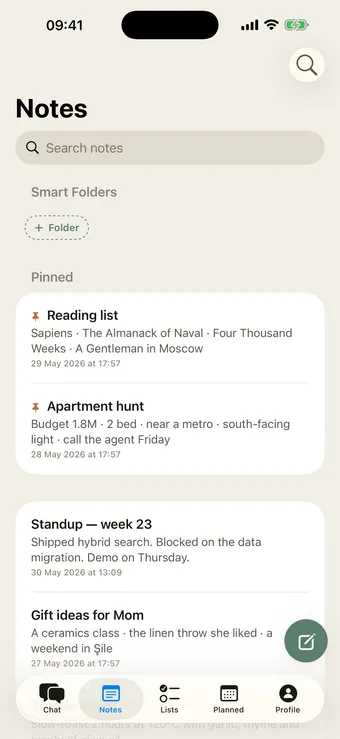
This is the model I ended up building my own app around: your notes live in a chat, and you ask your memory questions in plain language instead of excavating folders. I won’t pretend to be neutral about the approach. But whatever tool you use, the principle holds: every step between “I wonder” and the answer is a step where retrieval dies. Count those steps in your current system, honestly.
The test that tells the truth
Pick three things you noted more than a month ago. Don’t warm up your memory first — just try to retrieve them, right now, the way you naturally would.
If all three come back in under thirty seconds, your system works; this post was a victory lap. If they don’t, you don’t have a note-taking problem. You have a retrieval problem — and now you know which three things to fix.
If you’re starting fresh instead of fixing, the plain-English guide to second brains covers how to set up so this problem never develops. And if your notes mostly die before capture — the thought evaporates en route to the app — that’s a different failure with its own fixes.